Account Access Methods for Nigerian Traders
Our company provides several secure login options tailored for Nigerian traders. Access is available through the official HFM website, mobile applications, and direct MetaTrader platform integration. Each method requires your unique HFM ID and password created during registration. We use SSL encryption to protect your credentials during transmission. Regional settings including Nigerian naira currency and local time zones apply automatically for convenience.
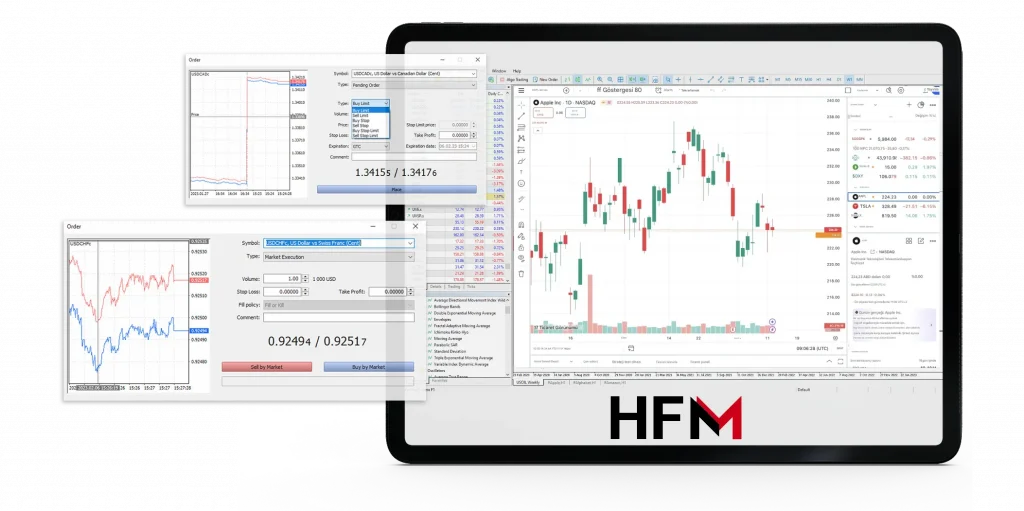
Mobile users benefit from biometric authentication options such as fingerprint and facial recognition after initial login. Sessions time out automatically to maintain security. The platforms supported include MetaTrader 4, MetaTrader 5, and WebTrader browser access, all optimized for Nigerian internet connectivity.
| Access Method | Features | Security |
|---|---|---|
| Website Portal | Standard login with SSL encryption | 2FA optional, session timeout |
| Mobile App | Biometric login, encrypted local storage | Fingerprint, Face ID, 2FA |
| MT4 & MT5 Platforms | Direct server login, saved credentials | Secure server communication |
| WebTrader | Browser-based trading access | SSL encryption, session control |
Step-by-Step Login Process
Website Login Procedure
To log in via the website, visit the official HFM homepage and select the login button. Enter your HFM ID and password carefully, using the exact details from your registration. Opt to use “Remember Me” only on personal devices. After submission, the system verifies your credentials in seconds. Successful login redirects you to your dashboard showing balances, trading activity, and platform options with Nigerian settings applied.
Mobile Application Login
Download the official HFM mobile app from Google Play or Apple App Store. Open the app and enter your HFM ID and password on the login screen. Upon first login, you may enable biometric authentication in the settings. The app stores your credentials securely using encryption to speed future access. Trusted biometric methods include fingerprint recognition and face unlock, stored locally on your device.
MetaTrader 4 Login Configuration
Download MT4 from our site or MetaQuotes for compatibility. Launch MT4 and select “Login to Trade Account.” Enter your HFM account number, password, and choose the Nigerian server from the list. Server options include live and demo environments. The platform saves credentials for convenience unless disabled by you. Our servers operate continuously during trading days.
Trading Platform Integration
MetaTrader 5 Access Procedures
MT5 enhances trading with advanced tools and supports multiple account types like Cent, Premium, Zero, and Pro. Login requires your account number, password, and server selection. Separate servers optimize performance for each account type. MT5 supports advanced order types, partial fills, and hedging, aligning with Nigerian trading laws. Connection stability is ensured by redundant server architecture.
WebTrader Browser Access
WebTrader allows trading directly in supported browsers without installation. Access it after logging in via the website. The platform supports real-time quotes, charting tools, and order execution. Compatible browsers include Chrome, Firefox, Safari, and Edge with updated versions. WebTrader disables some advanced features available in MT4/MT5 but provides a lightweight option for quick trading.
Supported Instruments
Our platform facilitates both forex and CFD trading. Nigerian traders can access currency pairs such as EUR/USD, GBP/NGN, and USD/NGN with competitive spreads and leverage up to 1:1000. CFD instruments include indices like US30, commodities such as gold and oil, and synthetic indices with real-time pricing. These services provide diversified trading options tailored for the Nigerian market.
Security Features and Authentication
We enforce robust security layers to protect Nigerian users’ accounts. Passwords must meet complexity requirements including uppercase, lowercase, and numeric characters. Sessions automatically expire after 30 minutes of inactivity. Suspicious login patterns trigger alerts and access suspension until verified. Nigerian traders can activate two-factor authentication requiring SMS verification to their registered phone numbers.
Device recognition and IP monitoring help detect unauthorized access attempts. Security logs and access reports are available in your client area. Our servers use 256-bit SSL encryption for all data transmissions. Password reset procedures require access to your registered email to ensure identity verification.
| Security Feature | Description | Activation |
|---|---|---|
| Password Complexity | 6-15 characters, mixed case, numbers | Mandatory |
| Two-Factor Authentication | SMS code to Nigerian phone | Optional |
| Session Timeout | Auto logout after 30 minutes idle | Automatic |
| Device Recognition | IP and device monitoring | Automatic |
| SSL Encryption | 256-bit for data transmission | Automatic |
Troubleshooting Login Issues
Common Login Problems
Forgotten passwords are resolved through automated email reset workflows. Use the registered email address to receive reset links. Typing errors in HFM ID or password cause login failures; copy credentials from your confirmation emails to avoid mistakes. Browser incompatibility can also hinder login; updated Chrome, Firefox, Safari, or Edge browsers are recommended. Clearing cache and cookies often resolves persistent issues.
Technical Support Resources
Our Nigerian support team operates extended hours with live chat, email, and toll-free phone lines. Support staff speak English and local languages for clear communication. Submit tickets including your HFM ID and error details for faster resolution. Responses typically arrive within 2-4 hours on business days. Our knowledge base includes detailed articles and video tutorials for common login and platform questions.
Account Lockout and Recovery
Multiple failed login attempts trigger automatic account suspension for security. To regain access, complete identity verification via email or phone. Nigerian traders receive immediate notifications of lockouts. Our support guides you through unlocking procedures securely. Always ensure your contact details are current to avoid delays during recovery.
Account Management After Login
Dashboard Navigation
After login, the client dashboard provides centralized control over your accounts and trading activities. Sections include account overview, trading platform access, fund management, and support. The left sidebar menu facilitates quick navigation. Widgets display live balance, open orders, transaction history, and market news pertinent to Nigeria. Layout preferences save automatically for convenience across sessions.
Fund Management Options
Manage deposits and withdrawals through the wallet section of your dashboard. Supported Nigerian payment methods include bank transfers, debit cards, and local e-wallets. Deposits in Nigerian naira or USD process instantly, except bank transfers which may take 1-2 days. Withdrawal requests require verification and typically clear within 1-3 business days. Currency conversions apply automatically at current rates.
Verification and Compliance
Account verification requires uploading government-issued ID and proof of address. This process ensures compliance with Nigerian regulatory standards. Verification status is visible in your dashboard. Verified accounts enjoy higher withdrawal limits and eligibility for promotions. Upload documents directly in the client area for faster processing.
| Transaction Type | Processing Time | Fees |
|---|---|---|
| Deposit (Card/E-wallet) | Instant | None |
| Deposit (Bank Transfer) | 1-2 Business Days | None |
| Withdrawal | 1-3 Business Days | Variable |
| Internal Transfer | Instant | None |
Platform Performance and Optimization
Our infrastructure is designed for high availability and low latency tailored for Nigerian users. Multiple servers in geographically strategic locations optimize connectivity. Users can monitor connection quality through real-time ping and server response indicators in the trading interface. Poor network quality may affect login speed and trade execution, thus a wired internet connection is recommended.
Regular maintenance occurs during Nigerian off-market hours with prior notifications. Emergency fixes are applied promptly when necessary. We advise Nigerian traders to update browsers, operating systems, and disable bandwidth-heavy applications during trading to ensure stable performance.
Optimization Tips for Nigerian Traders
- Use wired or high-quality mobile internet connections
- Keep browser and OS updated to latest versions
- Close unnecessary applications during trading sessions
- Avoid VPN or proxy servers when logging in
- Select servers closest to your Nigerian location
Additional Features and Bonuses for Nigerian Traders
Our company offers welcome bonuses to Nigerian clients upon account funding, typically ranging up to 30% of the initial deposit. Bonuses are credited automatically after successful deposits and are subject to trading volume requirements. We provide execution speeds averaging under 50 milliseconds on Nigerian servers, ensuring swift order processing.
Educational resources, including webinars and tutorials, are available in English tailored to Nigerian market conditions. The platform supports automated trading through Expert Advisors on MT4 and MT5. We also enable social trading features allowing Nigerian traders to follow experienced professionals.
| Feature | Description | Benefits |
|---|---|---|
| Welcome Bonus | Up to 30% on first deposit | Increased trading capital |
| Execution Speed | Under 50 ms latency | Fast order processing |
| Automated Trading | Expert Advisors support | Hands-free trading |
| Social Trading | Copy top traders | Learning & profit sharing |
| Educational Resources | Localized webinars | Improved trading skills |
❓ FAQ
How do I perform hfm login in Nigeria?
Visit the official HFM website or open the mobile app, enter your HFM ID and password, then authenticate using 2FA if enabled. You can also login directly through MT4 or MT5 with your account number and password.
Can I use biometric authentication on HFM mobile app in Nigeria?
Yes, after your first login, you may enable fingerprint or face recognition on supported Android and iOS devices for secure and faster access.
What should I do if I forget my password?
Use the password reset option on the login page to receive a reset link via your registered email. Follow the instructions to create a new password.
Are my funds safe during deposits and withdrawals?
Yes, we use secure payment gateways compatible with Nigerian banks and e-wallets. Transactions are encrypted and monitored for safety.
Does HFM support both forex and CFDs in Nigeria?
Our platform supports both forex currency pairs and CFDs on indices, commodities, and synthetic instruments, providing diverse trading options.